


OpenAI began the global rollout of GPT-6 within ChatGPT this week, its new generation of model, accompanied by a feature called Intelligent UI that changes how the app responds: instead of just text, responses can be composed of graphics, buttons, forms, diagrams, and small interactive tools built on the fly. The rollout began on October 7 for paid plans and extended the following day to the Free and Go tiers, according to the company’s announcement and specialized coverage.
What Changes With Intelligent UI
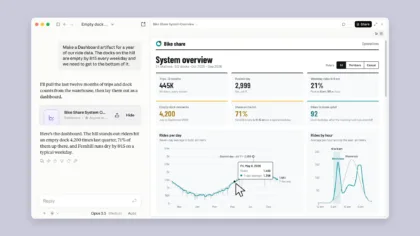
The central idea is for the model to decide on the most useful format for each question. A comparison can appear side by side, a complex topic can be explained with an interactive diagram, and a simple question can still receive a plain-text answer. Among the examples shown by OpenAI are a meal plan that adjusts ingredient quantities based on the number of guests, checklists, embedded maps, and follow-up questions with selectable options.
It is also possible to request small tools created on the fly, such as a savings calculator, a bill splitter, or a simple game within the conversation. According to OpenAI, the system uses a library of native components and a compiler that processes the interface as the model generates it, so elements appear progressively without waiting for the response to finish.
Availability and Models
The announced rollout began on October 7 for Plus, Pro, Business, and Enterprise, and expanded on the 8th to Free and Go. In organizations, administrator settings may affect availability. OpenAI limits this change to the chat experience; the announcement does not imply a replacement of the models used behind Work and Codex. The ChatGPT interface should also not be confused with the components a developer integrates through the API.
In terms of speed, GPT-6 Instant can start responding while it continues reasoning. OpenAI claims, based on an internal evaluation, that for questions requiring web search, GPT-6 Instant starts responding an average of 44 percent sooner than GPT-5.6 Instant.
A Visual Response Also Needs Sources
The fact that a comparison appears as cards or that a calculator has controls does not prove that its input data is correct. When consulting news, prices, or dates, it is useful to check the linked sources and when the information applies. In a calculation tool, it is worth checking units and assumptions before using the result. The presentation makes it easier to explore a response, but it does not make every response verified information.
To try the difference without requesting a complete app, you can ask for a comparison using specific criteria or an explanation that lets you change a variable. For example, varying the number of people in a recipe helps show which quantities are recalculated and which require judgment. It is an interactive use—not a reason to grant permissions or share additional information if the task does not require it.

.jpg)