
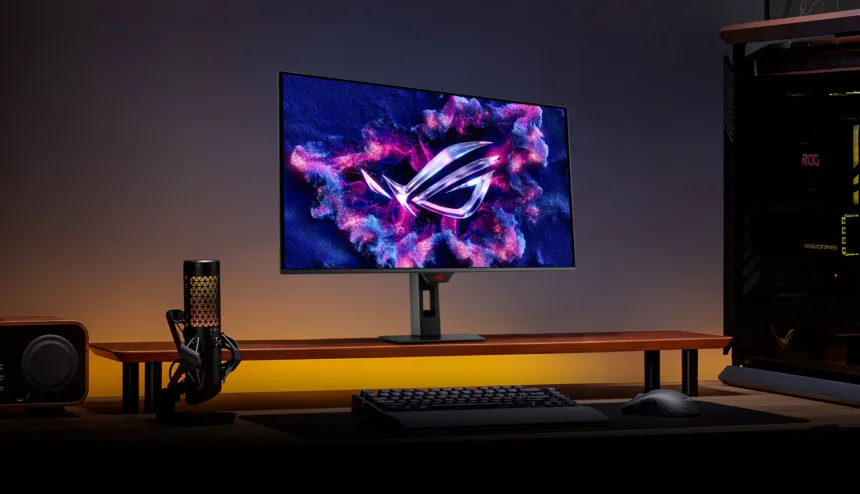
ASUS introduced the ROG Strix OLED XG32UQDS, a 32-inch QD-OLED monitor with 4K resolution and a refresh rate of up to 180 Hz. Its specifications also list a gray-to-gray response time of 0.03 ms, 99% DCI-P3 coverage, and a proximity sensor that can turn the screen black when the user moves away. To understand who it may suit, it helps to separate these specifications.
Resolution determines how many pixels make up the image; refresh rate, how many times per second it can be updated; response time describes a pixel transition under specific measurement conditions. All three affect the experience, but they don’t measure the same thing. Nor do they replace a complete latency measurement from the controller or mouse to the image on screen.
180 Hz means a 5.56-millisecond window
Dividing one second by 180 gives approximately 5.56 ms per refresh. At 60 Hz, that window is about 16.67 ms. This is one way to gauge refresh rate: the screen has more frequent opportunities to display new information. To take advantage of them, the computer and game must deliver images at an appropriate rate.
The advertised 0.03 ms doesn’t mean the entire system responds in that time. The game processes inputs, the GPU renders, and the screen receives and displays the signal. Also, a gray-to-gray transition doesn’t automatically describe every possible transition. Comparing these two numbers as if they measured the same delay leads to the wrong conclusion.
At 4K, a 3,840 × 2,160 frame contains about 8.3 million pixels. The workload involved in reaching 180 frames per second depends on the game, its effects, and its internal resolution. A monitor can be suitable for working at 4K and gaming with other settings; it doesn’t require every application to run at the highest combination of resolution and refresh rate.
What the sensor does and what color coverage means
The Neo Proximity Sensor feature is part of OLED Care Pro. When it detects that no one is present, it dims the screen to reduce unnecessary panel exposure. This is especially useful when static interfaces remain on screen as the user moves away. ASUS also includes its BlackShield film and OLED care tools.
These measures reduce unfavorable conditions, but they shouldn’t be taken to mean the panel is immune to wear. For long hours at a desk, brightness, static content, maintenance cycles, and the warranty conditions for the unit sold in your region all matter. The global page advertises three years; the applicable coverage should be checked when purchasing locally.
99% DCI-P3 expresses coverage of a color space. It doesn’t guarantee that every photo or website will display correctly in every mode. Color management, the display profile, and the application affect the result. For editing, accuracy and uniformity are worth checking; for gaming, motion, latency, and variable refresh rate stability matter.
The XG32UQDS combines desktop detail and speed with panel care features. The right decision depends on how much time you’ll spend on each use and your computer’s performance—not on choosing the largest or smallest number on the spec sheet.