

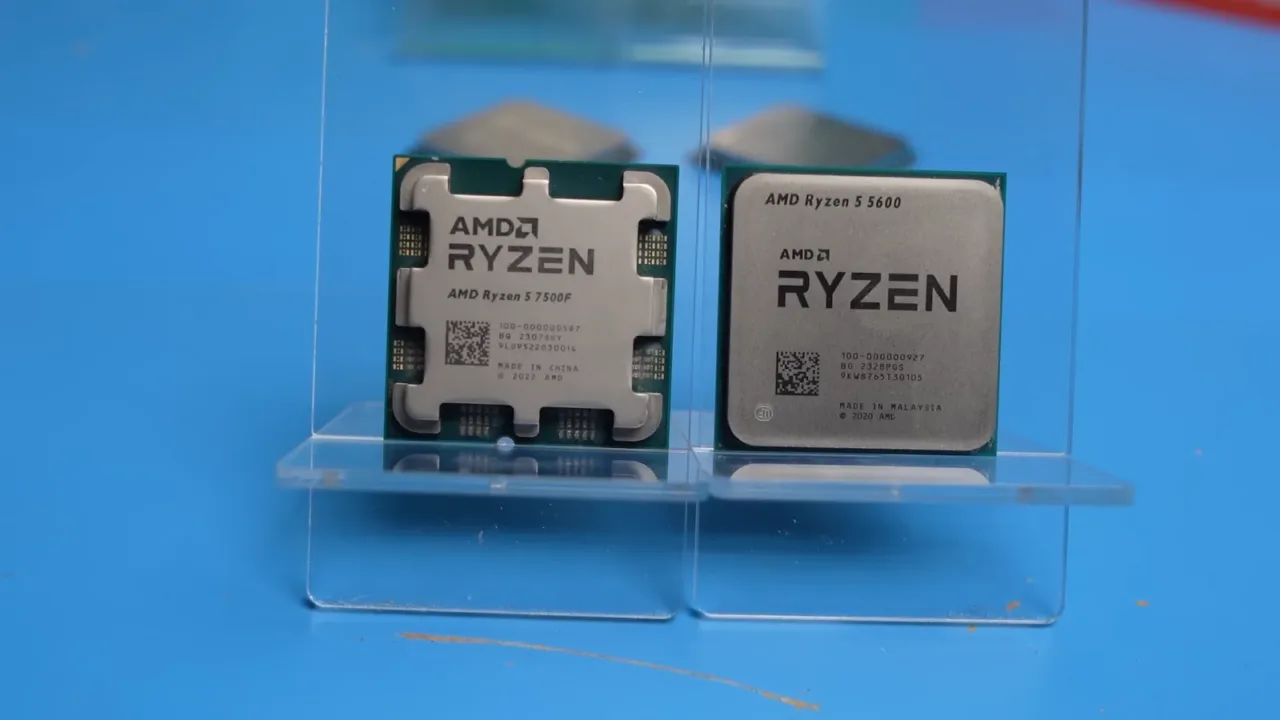
The Ryzen 5 5500F brings back a practical question: should you upgrade your processor and keep DDR4 memory, or pay for a newer platform? AMD’s chip, introduced in September, retains the AM4 socket. It has an official specification sheet. Raptor Lake Next, Intel’s reported continuation of LGA 1700, is still described in industry reports and should not be treated as a guaranteed release.
The 5500F is real: here are its specifications
AMD lists six Zen 3 cores and twelve threads, a boost clock of up to 4.4 GHz, 16 MB of L3 cache and a 65 W TDP. It supports DDR4 and PCIe 4.0. It requires a separate graphics card to provide display output. That matters if you are replacing an APU and intend to plug your monitor into the motherboard’s video connector.
Memory support is not identical for every configuration, either. The specification lists up to DDR4-3200 with two modules, while officially supported speeds decrease with certain four-module configurations. Filling every slot can add capacity without guaranteeing the same memory profile. Settings, module organization and the motherboard all affect compatibility.
Keeping AM4 does not mean every motherboard will work
Before buying, find your exact motherboard model in its manufacturer’s CPU support list. Check the minimum BIOS version as well. A shared socket is necessary, but it does not replace that check. If updating requires booting with your old processor, complete the update before selling it or permanently taking the system apart.
The useful comparison is total cost: processor, a cooler if needed, a graphics card if you do not have one, and any required service. Keeping existing parts can make sense for a PC with working memory, storage and graphics. For a new build, compare the complete system with a newer platform; the CPU’s individual price can hide a small difference in the final budget.
Intel’s reported plan still needs confirmation
Reports about Raptor Lake Next describe more LGA 1700 processors and a potential 2027 window. These reports date back to the middle of 2026; they are not a new announcement this week. Their alleged dates, product names and motherboard support should not automatically become a shopping list. A DDR4 motherboard cannot accept a DDR5 module simply because a processor family supports both standards.
When buying in Mexico, check the final price, seller warranty and full model number. An overseas listing does not establish local availability. DDR4’s advantage is the ability to reuse equipment you already own. Turning that advantage into savings means checking compatibility and avoiding unnecessary replacement parts.
.png)